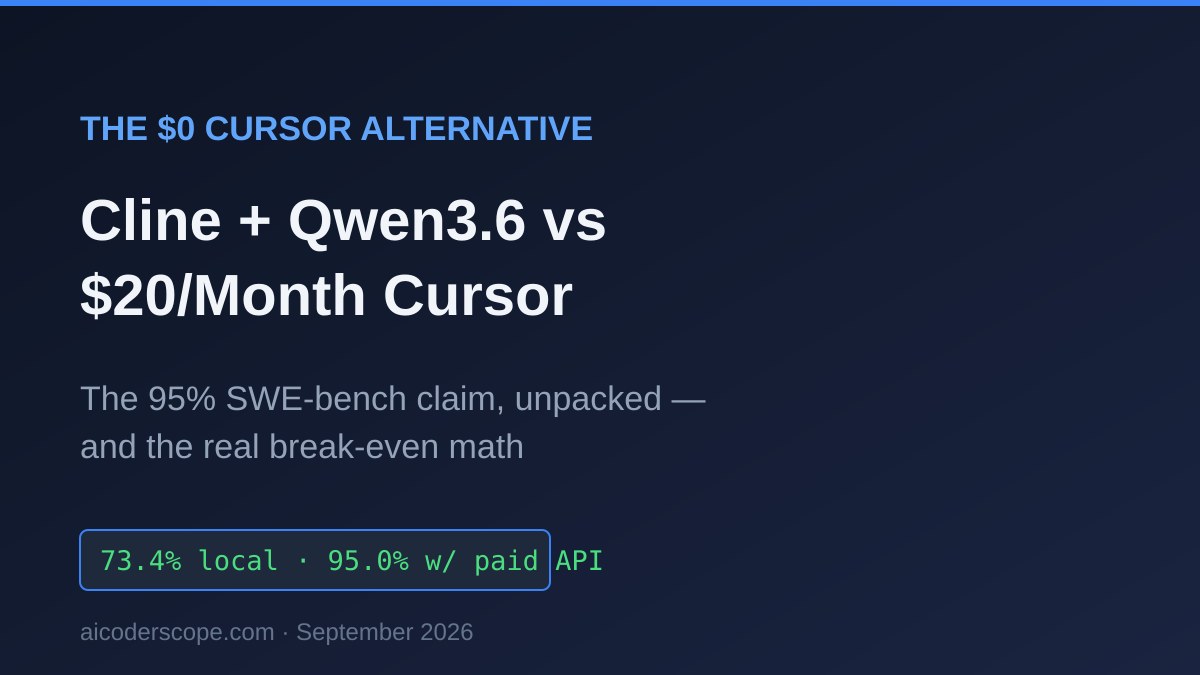
The $0 Cursor Alternative That 'Scores 95% on SWE-bench': What Cline + Qwen3.6 Actually Gets You, and the Real Break-Even Math
TL;DR: The viral “95.0% on SWE-bench for $0” claim is about Cline, and it’s half true: the extension is free, but that score came from running Claude Fable 5 — a paid cloud API — through it. The genuinely $0 stack, Cline + Qwen3.6-35B-A3B on your own 24 GB GPU, tops out around the model’s 73.4% SWE-bench Verified, and buying a GPU to build it takes 4+ years to pay for itself against Cursor’s $20/month.
| Cursor Pro | Cline + Claude Fable 5 API | Cline + Qwen3.6 local | |
|---|---|---|---|
| Best for | Devs who want zero setup | Max quality per task | Privacy, offline, no metering |
| Software cost | $20/mo | $0 (Apache 2.0) | $0 (Apache 2.0) |
| Inference cost | included | ~$3.25 per big agentic session | $0 |
| Hardware needed | any laptop | any laptop | 24 GB GPU (~$1,000–1,400 used) |
| SWE-bench Verified | n/a (harness, model varies) | 95.0% per morphllm’s Sep 2026 test | ≤73.4% (model’s own ceiling) |
| The catch | subscription forever | API bill scales with use | break-even vs Cursor: ~4.5 years |
Honest take: If you already own a 24 GB card, set up Cline + Qwen3.6 this weekend — it’s the best free coding agent stack that has ever existed, and better than what $20/month bought you a year ago. If you’d have to buy the GPU, don’t: at September 2026 used prices the math loses to just paying Cursor for four straight years. Cursor Pro stays the right default for everyone who doesn’t have the hardware sitting in their tower already.
What did morphllm actually test — and what does “$0 scored 95%” mean?
The claim comes from morphllm’s “Cursor Alternatives (2026)” comparison, last updated September 4, 2026, which tested 10 tools. The “$0 one” is Cline, the Apache 2.0 VS Code extension (66,001 GitHub stars at the time of morphllm’s count). The 95.0% SWE-bench Verified figure is Cline running Claude Fable 5 — Anthropic’s frontier model, billed at $10 per million input tokens and $50 per million output tokens on the API.
So the tool is free the way a fuel-injector is free with the engine sold separately. Cline is bring-your-own-key: the harness costs nothing, and you pay whoever serves the model. A heavy agentic session — call it 200K input tokens and 25K output tokens, which is unremarkable for a multi-file refactor with tool calls — runs about $2.00 in input plus $1.25 in output, roughly $3.25 per session before prompt caching at Fable 5 list prices. Twenty sessions a month is ~$65, more than three Cursor Pro subscriptions.
None of this makes the morphllm result wrong. It makes the headline framing wrong. “Free tool scores 95%” is really “free harness + $65/month of API scores 95%.” The interesting question is what the actually $0 configuration scores — Cline pointed at a local model over Ollama — and that’s a different number entirely.
What does the truly free stack score on SWE-bench?
Around 73.4% at best — that’s Qwen3.6-35B-A3B’s own SWE-bench Verified score, and the model is the ceiling, not the floor you’re guaranteed. Alibaba released Qwen3.6-35B-A3B on April 16, 2026 (per the QwenLM repository changelog): a sparse mixture-of-experts model, 35B total parameters with roughly 3B active per token, 262,144-token context, distributed openly with GGUF quants on Hugging Face and tags in the Ollama library. Alongside the 73.4% on SWE-bench Verified, Qwen reports 51.5 on Terminal-Bench 2.0. Both are vendor-run numbers — no fully independent replication existed as of this writing — but they’ve been picked apart by enough third parties (and compared row-by-row against competitors on llm-stats) that they’re taken seriously; we cited the same figures in our Nemotron 3.5 Lightning coverage, where NVIDIA’s own model lost 13 of 14 comparison rows to it.
Two things to keep straight about that 73.4%:
- It was not measured through Cline. SWE-bench results depend on the agent harness as much as the model. Qwen’s number comes from Qwen’s own agentic setup; through Cline with a local Ollama serve, tool-calling hiccups and context management will cost you some points. Treat 73.4% as the best case.
- It’s still remarkable for a $0 stack. Cursor’s paid tiers were shipping worse end-to-end results than this in mid-2025. A 21.6-point gap to Fable 5’s 95.0% is real and you will feel it on gnarly multi-file bugs — but 73.4-class autonomy handles the bulk of day-to-day ticket work: reproduce, patch, run tests, iterate.
What hardware does Cline + Qwen3.6-35B-A3B actually need?
A 24 GB GPU, and even that is tighter than the marketing suggests. The Unsloth GGUF repo lists the UD-Q4_K_M quant at 22.1 GB (UD-Q4_K_XL: 22.4 GB). On a 24 GB card that loads — and leaves under 2 GB for KV cache, which at agentic context lengths is nothing. Community VRAM guides consistently recommend either dropping to the ~17 GB UD-Q3_K_XL quant on 24 GB cards to reclaim context headroom, or running Q4 only with quantized KV cache and modest context.
The go-to card for this remains the used RTX 3090 — 24 GB of VRAM, and September 2026 price trackers put used units at roughly $1,000–$1,400 (GPUDojo pegs recent eBay sales near $1,050; ResalePrices’ fair-ask range is $1,287–$1,411; the trend is up ~7.5% over 30 days). Note that’s meaningfully above the $800–900 folk wisdom from earlier in the year. For which models fit in which VRAM tier, our sister site’s local model VRAM guide is the deeper reference.
Speed is the pleasant surprise. Because only ~3B parameters are active per token, this 35B model decodes like a small one: an RTX 3090 benchmark measured ~135 tokens/second on llama.cpp at Q4_K_M with flash attention enabled. The same benchmarks show Ollama’s less-tunable defaults running well below llama.cpp on identical hardware (one RTX 4090 comparison: ~78 tok/s via Ollama vs 120 tok/s via llama.cpp) — Ollama trades those knobs for convenience. Either way, decode speed will not be your complaint; on pure tokens-per-second the local stack beats waiting on a congested cloud API at peak hours, a pattern we measured back in our cloud-vs-local latency test.
How do you set it up — and what breaks first?
The five-minute version, tested against Ollama v0.34.0 (released September 5, 2026) and Cline v4.1.17 (September 2, 2026):
ollama pull qwen3.6:35b-a3b-coding
curl -s http://localhost:11434/v1/models | python3 -m json.tool
Expected output includes the model in the OpenAI-compatible listing:
"id": "qwen3.6:35b-a3b-coding",Then in VS Code: install Cline from the marketplace, open its settings, choose Ollama as the API provider (base URL http://localhost:11434), and select the model. Cline’s README lists Ollama and LM Studio as first-class local providers, so there’s no OpenAI-compatible workaround needed.
The thing that breaks first — and this is the “why is my local agent so dumb” moment nearly everyone hits — is context. Ollama’s default context window is a flat 4,096 tokens, silently truncating the system prompt and file contents Cline sends, which produces an agent that forgets your instructions mid-task. The fix is setting OLLAMA_CONTEXT_LENGTH (or per-model num_ctx) and telling Cline the real window size; we documented every variant of this failure in the num_ctx fix guide. On a 24 GB card with the 22 GB Q4 quant, remember the constraint above: you have VRAM for maybe 8–16K of context before offloading starts. That’s the strongest practical argument for the 17 GB Q3_K_XL quant — the quality loss is smaller than the damage a starved context does to agentic work.
What does Cursor still win on?
Four things, and they’re the four things most working developers actually feel:
- Setup is one installer. Cursor: download, sign in, code. The local stack: pull a 22 GB model, tune context, pick a quant, configure Cline. Budget an evening, more if it’s your first Ollama rodeo.
- Tab completion. Cursor’s autocomplete model is a separate, fast, purpose-trained system. Cline doesn’t do inline completion at all — it’s an agent, not a copilot — so the local stack needs a second small model and another extension if ghost text matters to you.
- Codebase-scale context. Cursor’s server-side indexing pulls relevant files from repos far larger than any local context window you can afford in 24 GB of VRAM.
- Frontier-model output. When you hit the bug that 73.4-class models loop on, Cursor (or Cline pointed at a cloud key) escalates to a frontier model instantly. The local stack’s ceiling is the local model.
Cursor’s September 2026 pricing, cross-checked across multiple trackers since the official page resists scraping: Hobby free, Pro $20/month, Pro+ $60, Ultra $200, Teams $40/seat (all with ~20% off annual). Our Cursor review covers what the Pro credit pool actually buys.
The break-even math nobody runs before buying a GPU
Buying a used RTX 3090 to avoid Cursor Pro takes ~53 months to break even at the midpoint — $1,050 ÷ $20/month — and that’s the optimistic version: it ignores electricity (a 350 W-class card mining tokens all day is not free power), your setup time, and the quality gap you’re accepting. At the top of the current used-price range ($1,400), you’re at 70 months. GPUs do hold resale value — 3090 prices are rising, not falling, in late 2026 — which softens the true cost, but nobody should pretend this is a money-saving move against one $20 subscription.
The math changes completely in two scenarios:
| Scenario | Monthly cost avoided | Break-even on a $1,050 GPU |
|---|---|---|
| vs Cursor Pro $20/mo | $20 | ~53 months |
| vs Cline + Fable 5 API (~$65/mo at 20 heavy sessions) | ~$65 | ~16 months |
| GPU already owned (gaming, ML, local LLM hobby) | any | 0 months |
If your actual alternative is a metered API habit rather than a flat subscription, the GPU pays back in a year and a half. And if the card is already in your machine, the $0 stack is simply free capability — the only cost is the evening of setup.
Don’t buy hardware to test the waters, either. A rented cloud GPU on RunPod lets you run the exact Cline + Qwen3.6 workflow by the hour and find out whether 73.4-class output covers your tickets before any $1,000 commits itself.
What to actually buy
Prices as of September 2026, all taken from the analysis above:
| Your situation | The move | Price | Where |
|---|---|---|---|
| Already own a 24 GB GPU | Cline + Qwen3.6-35B-A3B, tonight | $0 | Setup section above |
| Committed to local, need the card | Used RTX 3090 24GB | ~$1,456–$1,558 | Check price |
| Want to test the workload before spending four figures | Rented cloud GPU, per hour | pay per hour | RunPod |
| Just want coding AI that works, no hardware | Cursor Pro | $20/mo | cursor.com |
Verdict: who should actually switch?
Switch to Cline + Qwen3.6-35B-A3B if you already own a 24 GB GPU — full stop. You get an Apache 2.0 agent, an Apache-licensed model, zero per-token anxiety, code that never leaves your machine, and quality that would have been state of the art 15 months ago. This is the recommendation for the privacy-bound (client code, regulated repos — same audience as our Cline privacy-first setup) and for anyone whose usage is heavy enough that metered APIs sting.
Stay on Cursor Pro (or start there) if you’d be buying the GPU. $20/month for frontier-quality output, tab completion, and indexing beats a $1,050 purchase that delivers 73%-class output after an evening of quant-juggling. The “$0 alternative” isn’t $0 when it starts with a four-figure receipt and a 53-month payback.
The middle path — Cline + a cheap cloud API — is the underrated option morphllm’s framing skips: the same free harness pointed at budget models (DeepSeek V4-Flash at $0.14/M input, or any of the open-weight hosts) lands between the two poles on both cost and quality with no hardware at all. Our cost comparison across every editor tier maps that territory.
FAQ
Is Cline really free? The software is — Apache 2.0, no paid tier required for the core agent (verified against the Cline repository, September 12, 2026). What you pay for is inference: either a cloud API key or the hardware running a local model. “Free tool” and “free stack” are different claims; this article is about the second.
Did anything score 95% on SWE-bench for $0 total cost? No. The 95.0% SWE-bench Verified figure in morphllm’s September 2026 comparison came from Cline driving Claude Fable 5, a paid API (currently $10/$50 per million input/output tokens). No local open-weight model runnable on a consumer GPU posts a number near that; Qwen3.6-35B-A3B’s 73.4% is the strongest vendor-reported score in the fits-in-24-GB class as of September 2026.
Can I run Qwen3.6-35B-A3B on 16 GB of VRAM? Not usefully for agentic coding. Even the ~17 GB Q3_K_XL quant exceeds 16 GB before KV cache. On 16 GB cards, look one tier down — Qwen3.8-27B-class dense models or smaller MoEs — and expect a further quality step down from 73.4%.
Why not OpenCode instead of Cline? OpenCode (MIT, the most-starred open coding agent at ~196K GitHub stars per morphllm’s count) is the terminal-native equivalent and pairs with Ollama the same way — our setup guide covers it. The editor-vs-terminal choice is workflow preference; the cost and benchmark math in this article is identical for both.
Does the 262K context window mean I can feed it my whole repo locally? On paper. In VRAM, a 22 GB Q4 model on a 24 GB card can’t afford anywhere near 262K tokens of KV cache — practical local context is a small fraction of the advertised window. The full window is real on multi-GPU rigs or rented cloud hardware.
Sources
- Cursor Alternatives (2026): We Tested 10 Tools — morphllm (updated Sep 4, 2026)
- Cline repository — license and provider list
- QwenLM — Qwen3.6-35B-A3B release (Apr 16, 2026)
- Qwen3.6-35B-A3B blog — benchmark scores
- unsloth/Qwen3.6-35B-A3B-GGUF — quant file sizes
- Qwen3.6 on 24GB VRAM: benchmark and config — Amine Raji
- llama.cpp vs Ollama throughput, Qwen3.6 35B-A3B — Markaicode
- RTX 3090 used price history, Sep 2026 — GPUDojo
- RTX 3090 fair asking range — ResalePrices
- Cursor pricing tracker (Sep 2026) — CloudZero
- Cursor pricing breakdown — costbench
- Ollama v0.34.0 release notes
Last verified September 12, 2026. Pricing, benchmark claims, and used-GPU prices change frequently; verify current state before purchasing. Cursor’s official pricing page was unreachable from our verification environment this run — Pro/Pro+/Ultra/Teams figures are cross-confirmed across four independent trackers instead.
Was this article helpful?
Thanks for the feedback — it helps improve future articles.
Need hands-on help?
I offer 1-on-1 technical consulting for local AI setup, GPU selection, and AI coding tool configuration — same topics covered on this site.
Book a session — $49 / hour →Know which coding tool is worth paying for
Hands-on comparisons of AI coding assistants and what each one costs to run — including the local-model path. Sent only when something changes. Unsubscribe anytime.